
Cmder is a free, open-source console emulator package for Windows that brings standard Unix commands, Git integration, and multi-tab terminal management into a portable environment. It combines ConEmu with Clink to provide shell enhancements, smart autocomplete, and custom prompt styling without requiring system installation.
Overview of Cmder
During my daily testing on Windows, Cmder launched instantly from a USB drive without touching system registry keys or hogging background RAM. The pre-configured Monokai theme and native Clink line-editing make running command-line tasks significantly cleaner than the stock Windows console. It handles multi-tab sessions across PowerShell, CMD, and Bash smoothly without dropping terminal history.
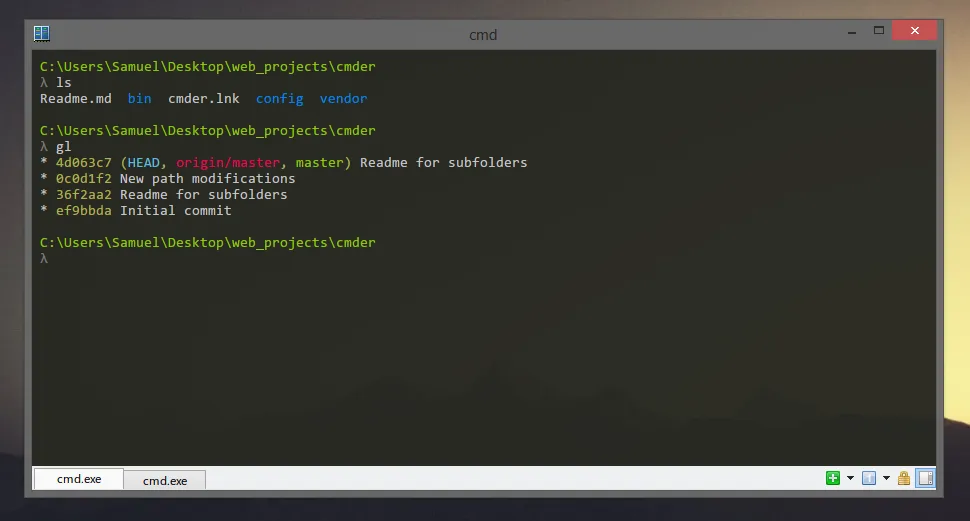
Core Features of Cmder
- Fully portable package runs directly from flash drives or cloud storage folders without installer overhead or administrative privileges.
- Multiple shell tabs let you run CMD, PowerShell, WSL, and native Bash side by side in a single unified window.
- Integrated Clink support brings powerful bash-style autocompletion, persistent command history search, and custom prompt aliases to standard Windows shells.
- Pre-bundled Git toolset includes Git for Windows binaries, SSH agent support, and status-aware prompt indicators right out of the box.
- Context menu integration enables quick right-click folder launching via simple command switches without registry bloat.
System Compatibility
- Supported Operating Systems: Windows 11, Windows 10, Windows 8.1, and Windows 7 (External Linux environments supported via WSL, MSYS2, and Cygwin integrations).
- Architecture: 32-bit (x86) and 64-bit (x64).
Why Choose Cmder?
Cmder provides a clean, ad-free terminal environment that replaces clunky terminal emulators without tracking user data or requiring background services. Its self-contained build lets you carry your full development toolkit, custom aliases, and favorite shells on any PC without configuration hassles.