
x64dbg is a free, open-source binary debugger for Windows designed for malware analysis and reverse engineering executables without source code. It features a comprehensive plugin system and provides dedicated debuggers for both 32-bit and 64-bit applications in one package.
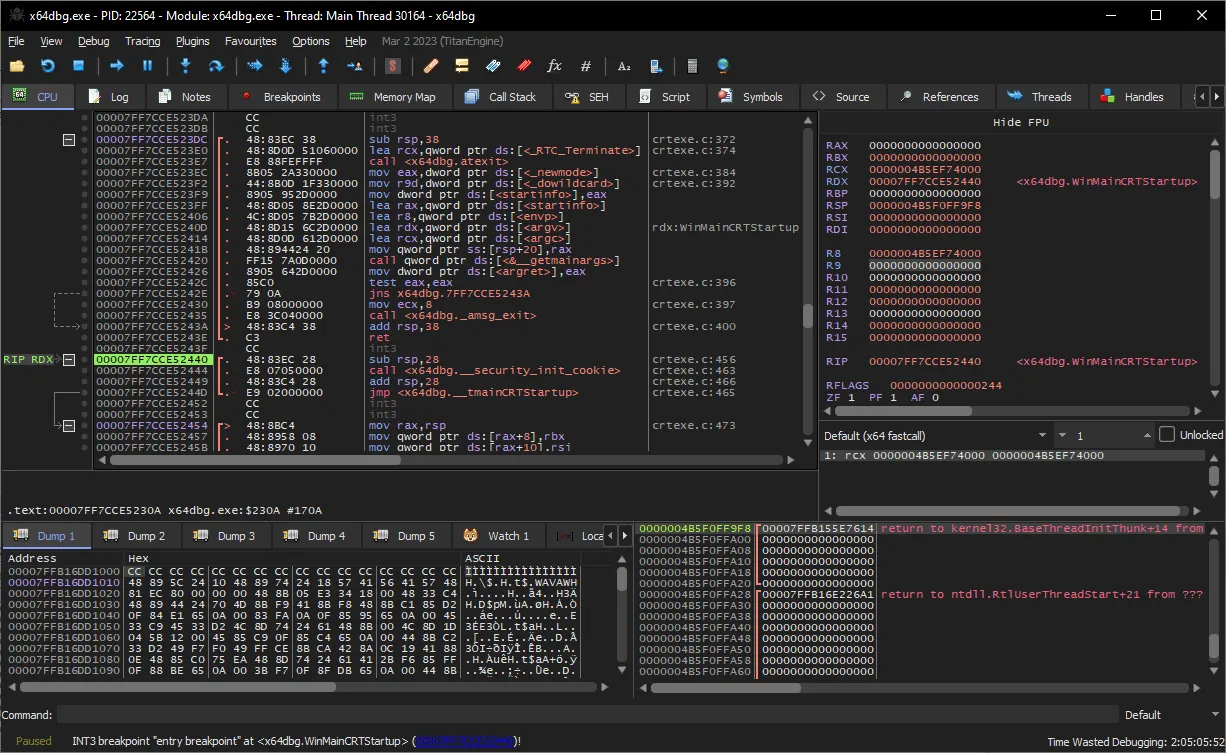
My testing shows that this debugger runs exceptionally well on modern Windows setups without draining system resources. I found the dual 32-bit and 64-bit executables incredibly practical for handling different types of reverse engineering tasks smoothly. It feels highly responsive, even when analyzing large binaries and loading complex memory maps.
Features of x64dbg
- Open-source core built by the community, meaning no paywalls, subscriptions, or intrusive ads.
- Dual architecture support lets you debug x86 and x64 executables using dedicated binaries (
x32dbg.exeandx64dbg.exe). - Extensive plugin system makes it easy to add custom functionalities tailored to specific malware analysis workflows.
- Modern GUI design includes both light and dark modes alongside visual aids like execution graphs and memory maps.
- Reliable backend components such as TitanEngine and Zydis ensure accurate offline disassembly and assembly generation.
System Compatibility
Fully compatible with Windows PC environments. It natively supports both 32-bit (x86) and 64-bit (x64) Windows architectures through its included x32dbg and x64dbg executables.
Why Choose x64dbg?
Instead of paying for expensive, heavy reverse engineering suites, this tool gives you a lightweight, community-driven alternative that respects your system resources. You get full control over your offline analysis workflow without any telemetry or hidden paywalls getting in the way.