Koodo Reader is a free, open-source e-book reader and manager for Windows and other major platforms. It lets users read, organize, and annotate various formats—including EPUB, PDF, MOBI, and comic book archives—without trackers, built-in advertisements, or forced account registrations.
Overview of Koodo Reader
During my testing on Windows 11, Koodo Reader launched instantly and handled massive 500-page PDFs without hogging RAM or freezing during layout shifts. The interface feels modern yet lightweight, letting you customize typography, switch to dark mode, and set up continuous scrolling with zero lag. It bridges the gap between clean desktop reading and powerful note-taking by syncing directly with tools like Obsidian and Notion.
Core Features of Koodo Reader
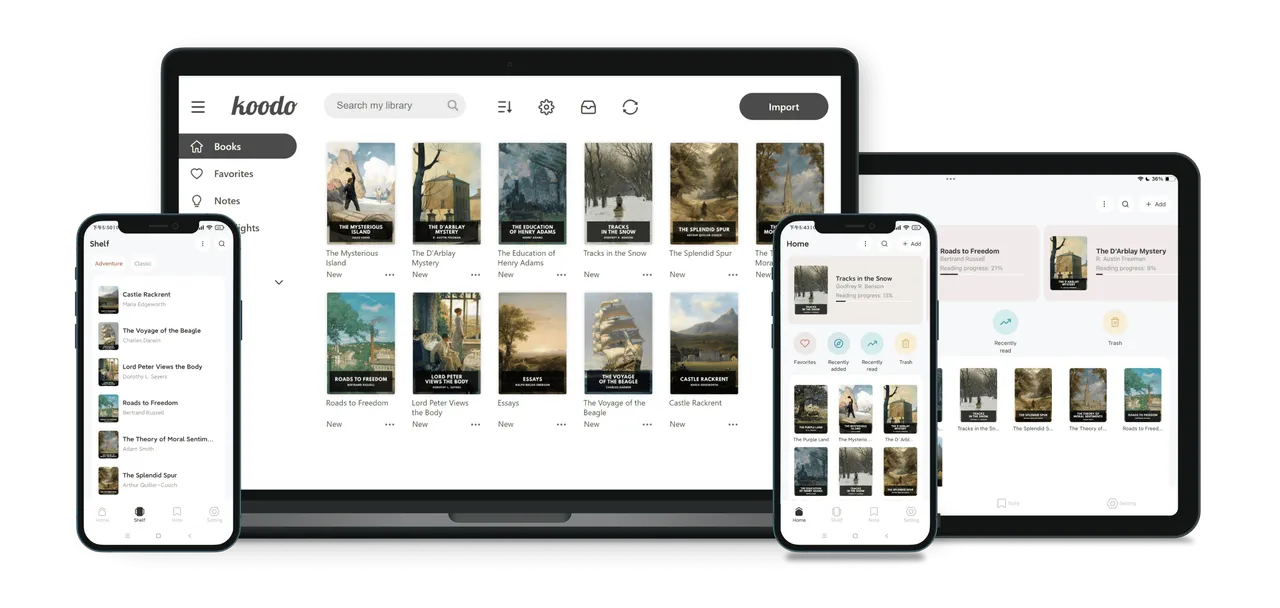
- Broad format support handles EPUB, PDF, MOBI, AZW3, TXT, MD, and comic archives like CBR and CBZ out of the box.
- Privacy-first design means zero telemetry, offline functionality, and library lock options using Windows Hello, PIN, or password.
- Automated note exports let you send your highlights and annotations straight to Obsidian, Notion, Readwise, Joplin, or local Markdown and CSV files.
- Flexible cloud sync connects your library and progress via WebDAV, OneDrive, Google Drive, Dropbox, SFTP, or local KOReader sync.
- Built-in reading tools include dual-engine OCR (Paddle and Tesseract), text-to-speech, translation plugins, and custom AI model integration.
System Compatibility
- Windows: Windows 11, Windows 10, Windows 8, Windows 7 (x64, x86, ARM64)
- Other Platforms: macOS, Linux (Flatpak, Snap, AppImage), Android, iOS, and self-hosted Docker / Web
Why Choose Koodo Reader?
Unlike bloated commercial e-readers that lock you into proprietary stores and track your reading habits, Koodo Reader runs entirely under your control with zero ads. It delivers modern reading, translation, and note-taking features while keeping your data local and lightweight on system resources.