Sniffnet is a free, cross-platform open-source application designed to monitor internet traffic. It allows users to inspect network connections in real-time, track bandwidth usage by specific programs, and analyze data through intuitive charts and detailed capture reports.
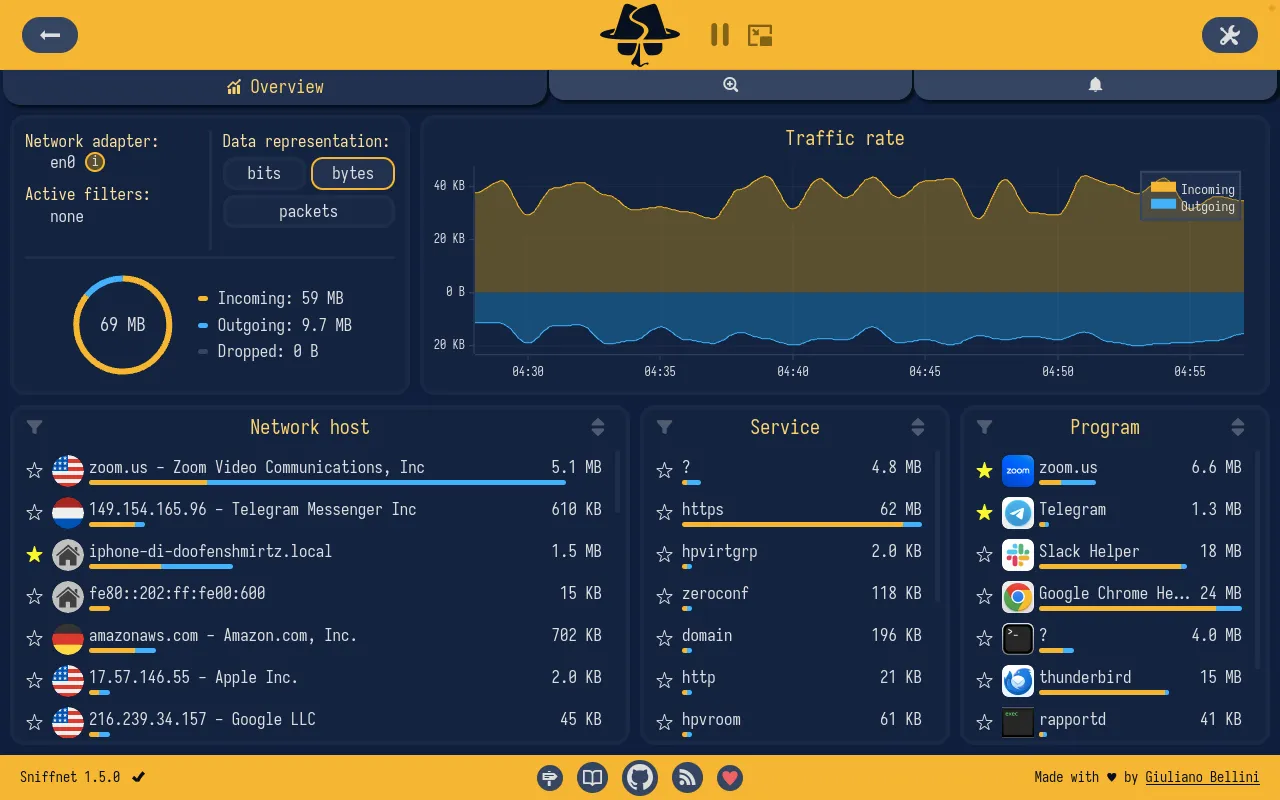
Overview of Sniffnet
In my testing, this tool felt incredibly lightweight on Windows compared to bulky corporate packet analyzers. I found the real-time traffic charts and local network identification highly responsive without draining system resources. You get a clear picture of exactly which programs are consuming your bandwidth right out of the box.
Features of Sniffnet
- Real-time traffic charts display internet intensity and data flow at a glance.
- Identify bandwidth hogs by seeing exactly which programs generate the most network activity.
- Custom event notifications alert you instantly when specific network conditions or potential threats appear.
- Deep connection inspection reveals geographical locations, domain names, and ASNs of remote hosts.
- Export capture reports easily using standard PCAP files for later analysis.
System Compatibility
Sniffnet supports Windows natively with installers available for x64, ARM64, and x86 architectures. It is also fully compatible with macOS (Intel and Apple Silicon) as well as Linux (DEB, RPM, and AppImage formats across amd64, arm64).
Why Choose Sniffnet?
This open-source monitor completely avoids the subscription fees and intrusive ads found in commercial network analyzers. You get a reliable, clean interface that respects your privacy while delivering professional-grade traffic insights.