System Manager is a free, open-source Windows desktop application designed for comprehensive PC monitoring and maintenance. It consolidates network diagnostics, privacy controls, disk cleanup, and application management into a single, telemetry-free interface that operates entirely locally without requiring cloud accounts.
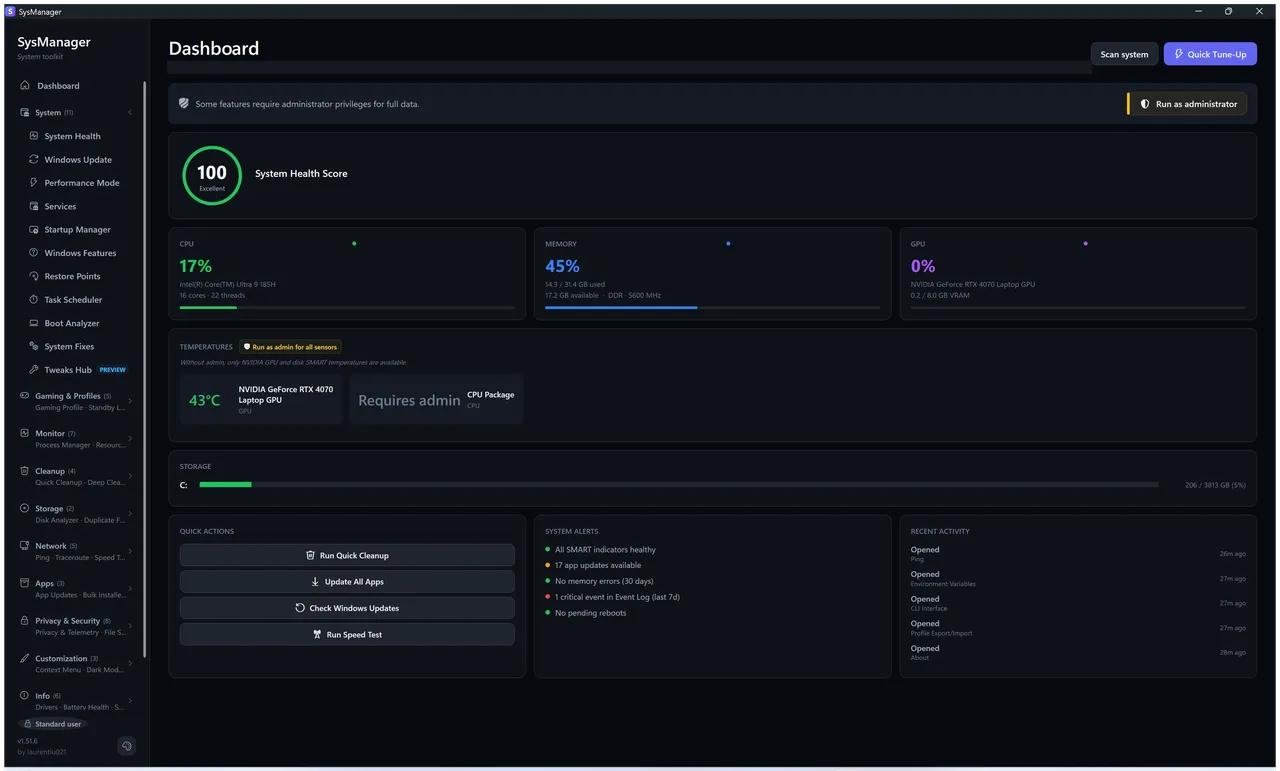
Technical Overview of System Manager
Built on .NET 10 and WPF, the software executes efficiently as a fully self-contained portable executable without requiring runtime installations. It relies strictly on documented Windows APIs to manage system states rapidly while maintaining a low background footprint. All core features process data entirely locally, ensuring zero background data collection.
Core Features of System Manager
- Local network diagnostics execute live ping tests, traceroutes, and throughput monitoring directly on the machine without external tracking.
- Deep cache cleanup safely clears game launcher data, Windows update remnants, and browser sessions while entirely avoiding registry tampering.
- Advanced privacy toggles disable Cortana, Copilot, and system telemetry completely offline with built-in rollback capabilities.
- Winget app management facilitates bulk installations, software updates, and uninstalls through a curated package repository.
- Granular process control lets administrators adjust CPU core affinity, apply timer resolution limits, and manage startup entries locally.
System Compatibility & Updates
System Manager strictly supports Windows 10 and Windows 11 running on an x64 architecture. Recent builds introduced automated Ookla CLI downloads to provide accurate, historical internet speed testing alongside the existing system management modules.
Why Choose System Manager?
This tool replaces multiple closed-source utilities by delivering extensive diagnostic and cleanup capabilities within a single MIT-licensed package. The strict local-first architecture guarantees that your hardware telemetry, network data, and system configurations remain entirely private on your own device.