
WindTerm is a free, high-performance client for SSH, Telnet, Serial, Shell, and SFTP workflows on desktop systems. Built for DevOps engineers and system administrators, it provides terminal emulation, automated session handling, dynamic memory reduction, and local-to-remote file management without commercial restrictions or telemetry bloat.
Overview of WindTerm
During my testing on Windows 10 and 11, WindTerm handled massive log streams and heavy multi-tab workloads without the lag typical of standard terminals. Dynamic memory compression kept RAM consumption under 150 MB even during million-line outputs, outperforming PuTTY and Windows Terminal in rendering throughput. The built-in SFTP pane and vim-style key modes remove the friction of switching between separate transfer utilities and command prompts.
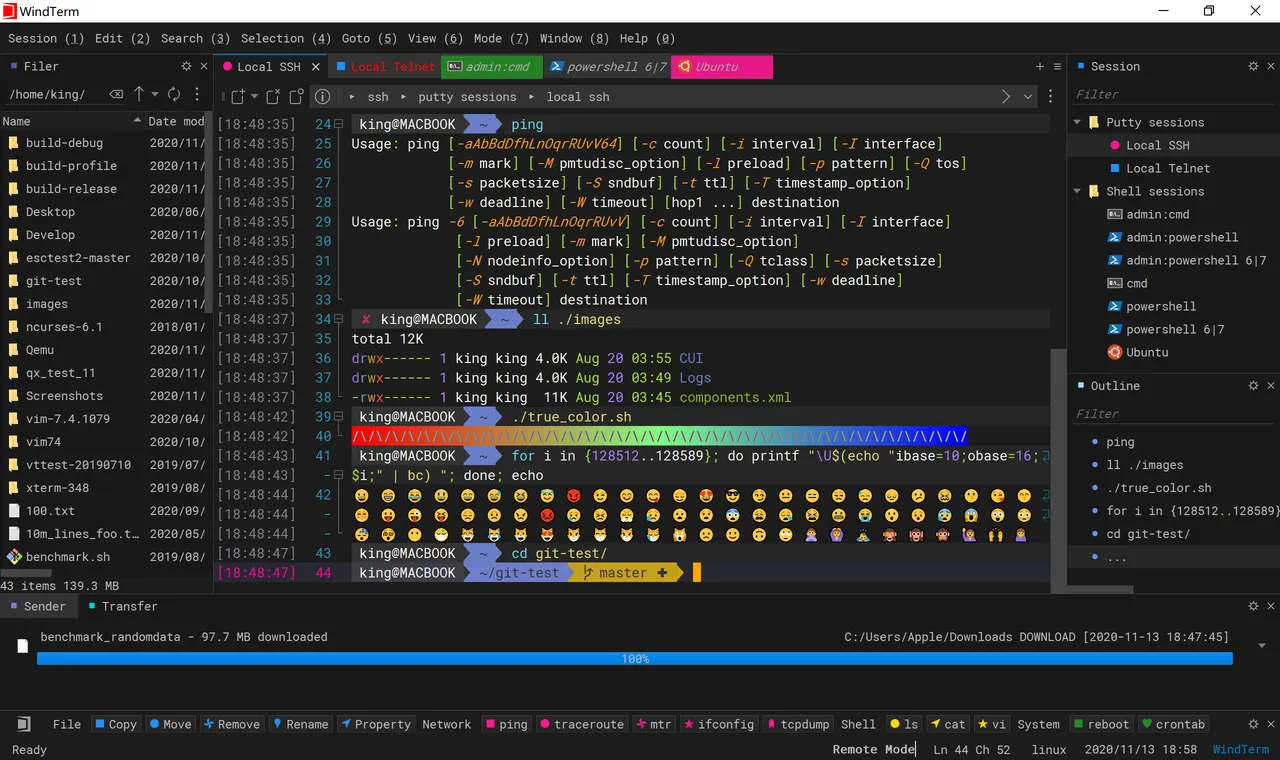
Core Features of WindTerm
- Multi-protocol support covers SSH v2, Telnet, Serial, Raw TCP, and native shells like PowerShell or Command Prompt.
- Integrated SFTP client lets you transfer, edit, and organize remote files directly alongside your active terminal sessions.
- Dynamic memory compression reduces live RAM load by 20% to 90%, preventing system lockups during huge data dumps.
- Built-in session security protects saved credentials and offers proxy jump, agent forwarding, and automated logins without trackers.
- Command sender palette syncs text input across split views, complete with tab search, auto-completion, and folding support.
System Compatibility
- Supported Operating Systems: Windows 10, Windows 11, macOS, and Linux
- Architecture: 64-bit (x86_64) binaries
Why Choose WindTerm?
WindTerm gives you a complete, commercial-grade terminal suite for zero cost under the Apache-2.0 license, free of ads, tracking, or paid upgrade prompts. It combines terminal emulation, fast SFTP transfers, and low resource overhead into a single lightweight package that replaces sluggish, fragmented tools.